Powerful Features. Simple Experience.
Everything you need to organize your digital life
From unlimited workspaces to smart filtering, browser extension to privacy-first sync. Discover everything Desktopia offers.
30-day trial • All features included • No credit card required
Organize Everything in One Place
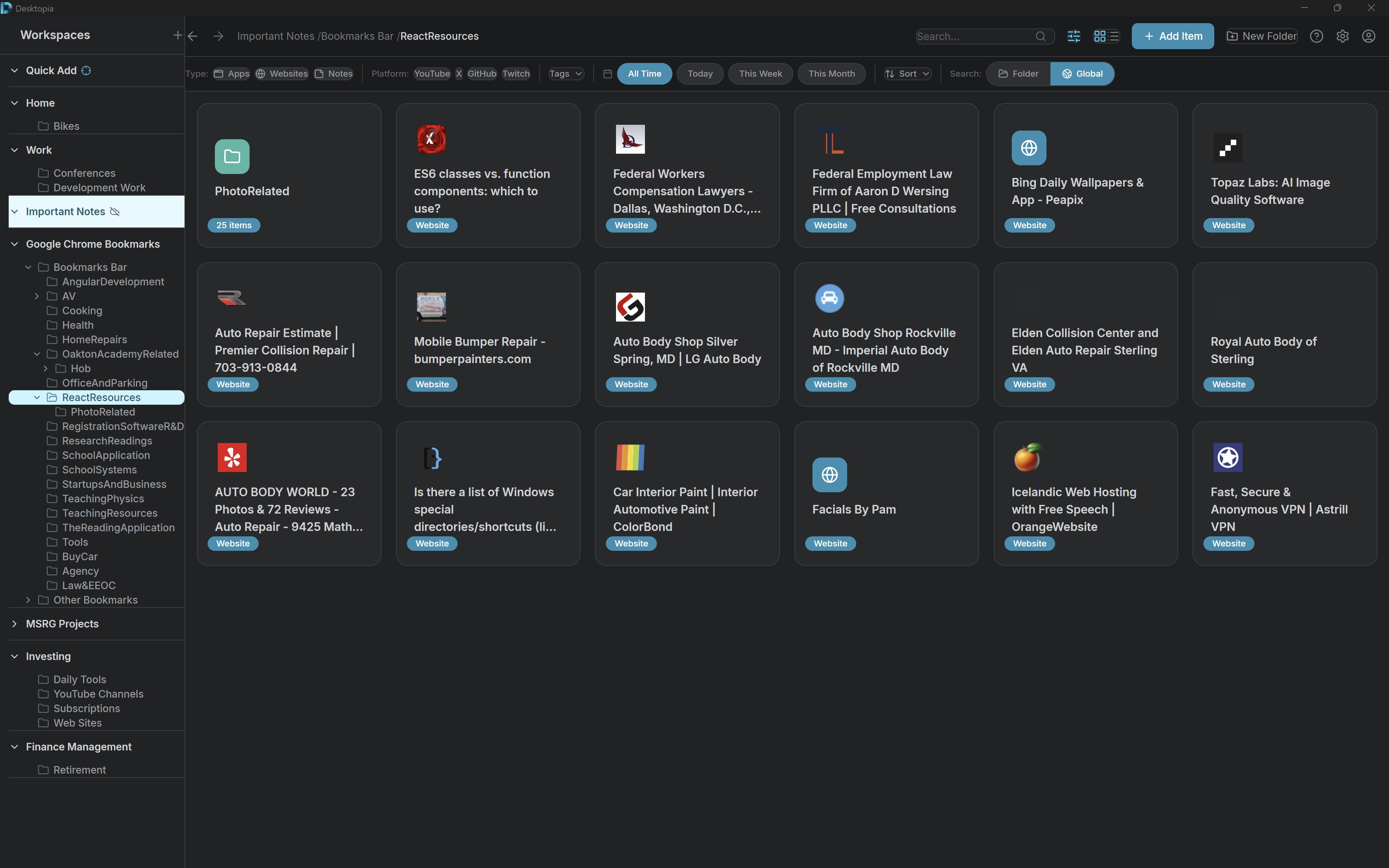
Create unlimited workspaces and folders to structure your digital life exactly how you think.
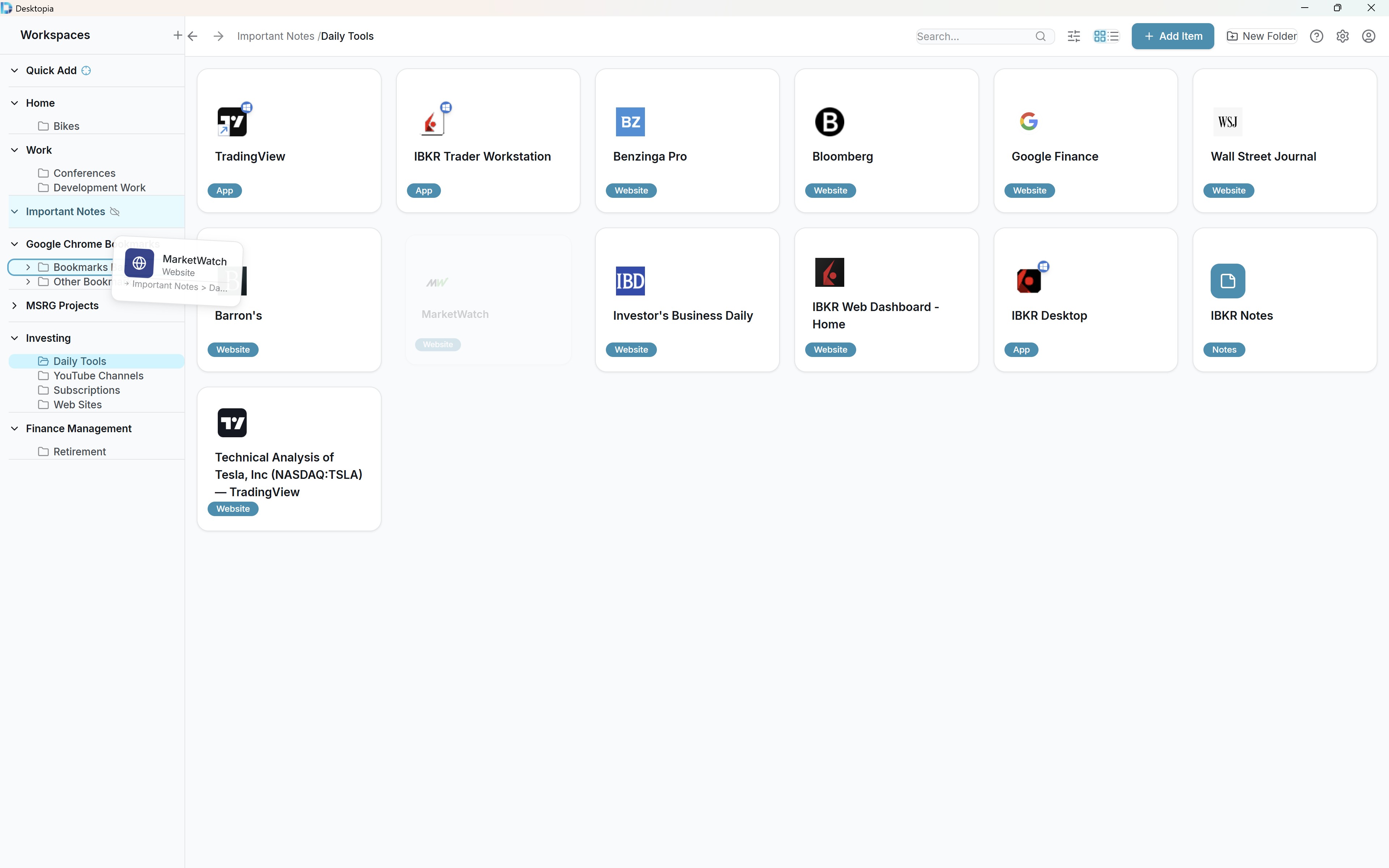
- Multi-workspace organization for Work, Personal, Projects, and more
- Unlimited folder nesting with no depth limits
- Store apps, websites, and notes together in one unified system
- Drag and drop to reorder, move, or copy items between folders and workspaces
- Custom colors and icons for visual personalization
Find Anything in Seconds
Powerful search and smart filtering help you locate exactly what you need, instantly.
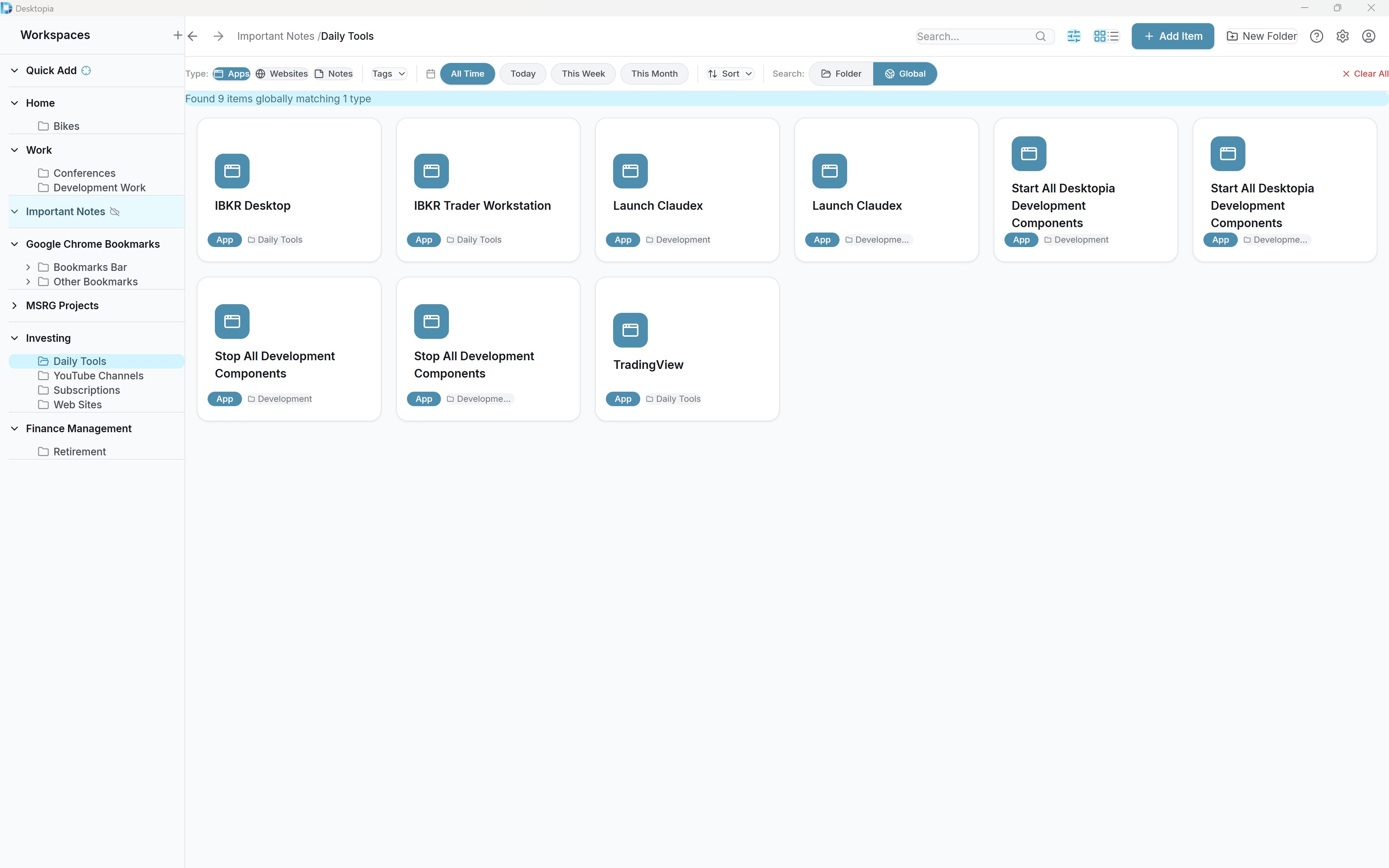
- Global search across all items, folders, and workspaces
- Smart filtering by type, platform, tags, and date
- Auto-detects YouTube, Twitter, GitHub, and Twitch links
- Flexible sorting: manual, alphabetical, by date, or by type
Save from Anywhere
The browser extension lets you capture websites with one click, complete with metadata.
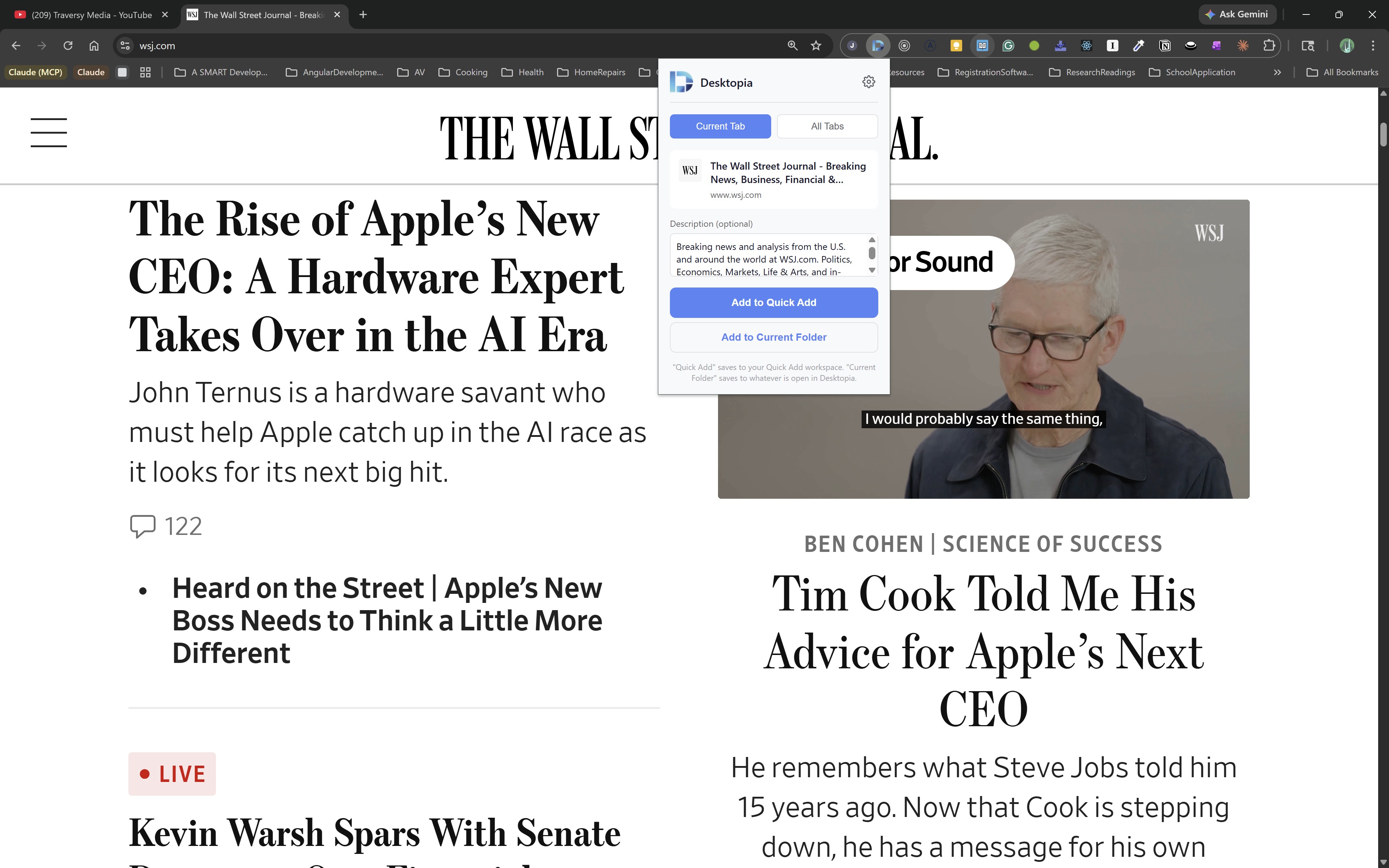
- One-click save from Chrome, Edge, and Brave browsers
- Automatically extracts title, URL, and favicon
- Import existing browser bookmarks with folder structure
- Global hotkey (Shift+Win+D) for instant access from anywhere
Work Your Way
Flexible views and intuitive controls adapt to how you prefer to organize.
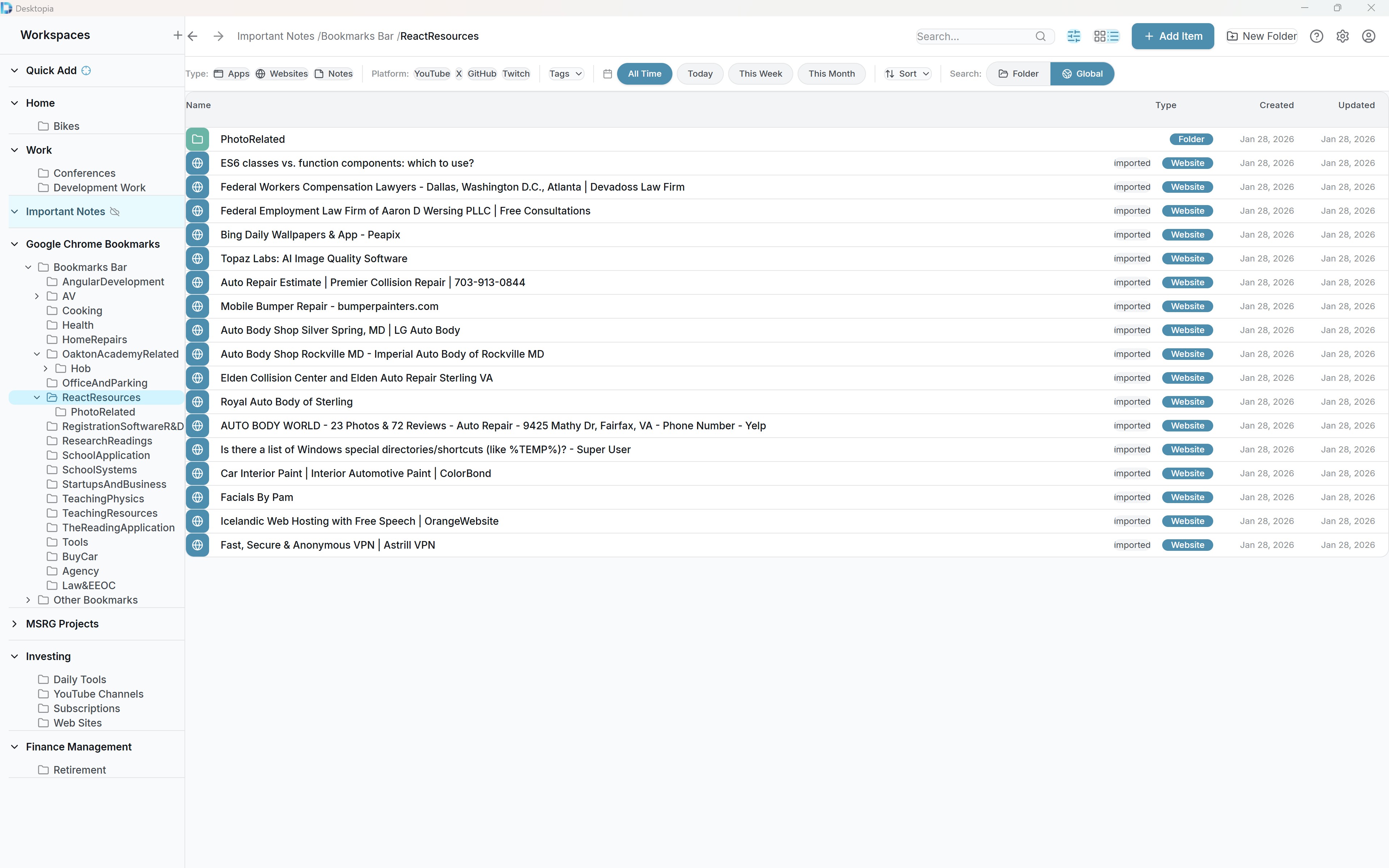
- Switch between visual card grid and compact list views
- Light and dark themes with system-aware auto-switching
- Drag-and-drop to reorder, move, or reorganize items
- Ctrl+drag to copy items or entire folder hierarchies
Notes That Live With Your Resources
Keep contextual notes alongside the apps and links they relate to.
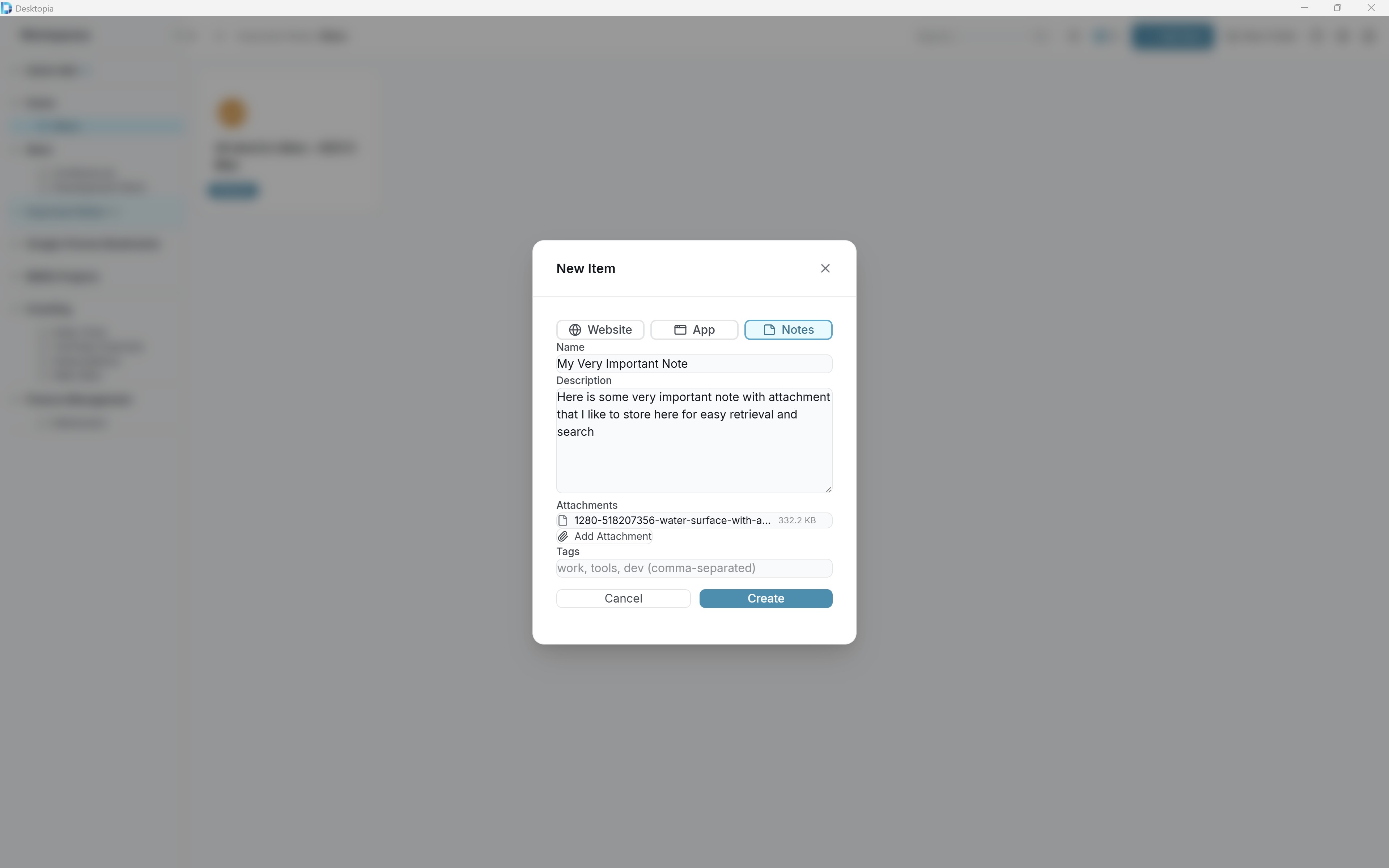
- Create notes directly within your organized workspace
- Attach any file type to your notes for reference
- Open attachments with their default applications
- Attachments managed automatically when notes are deleted
Never Lose Your Data
Your data is stored locally first, with full export capabilities and automatic updates.
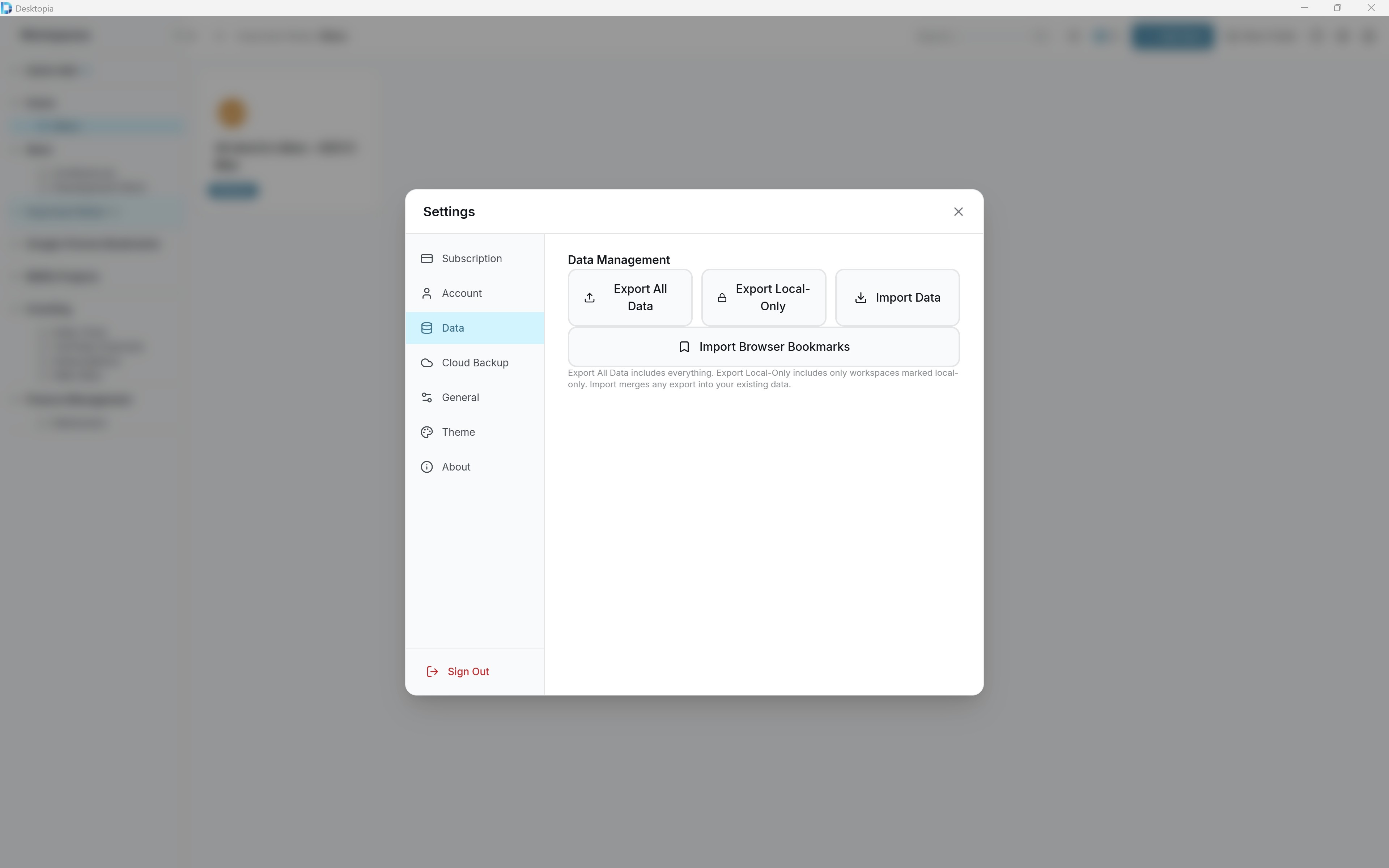
- Local-first architecture means everything works offline
- Export to ZIP with all data and attachments included
- Automatic updates keep you on the latest version
- Cross-platform support for Windows, macOS, and Linux
Sync on Your Terms
Optional cloud sync keeps devices in harmony while respecting your privacy choices.
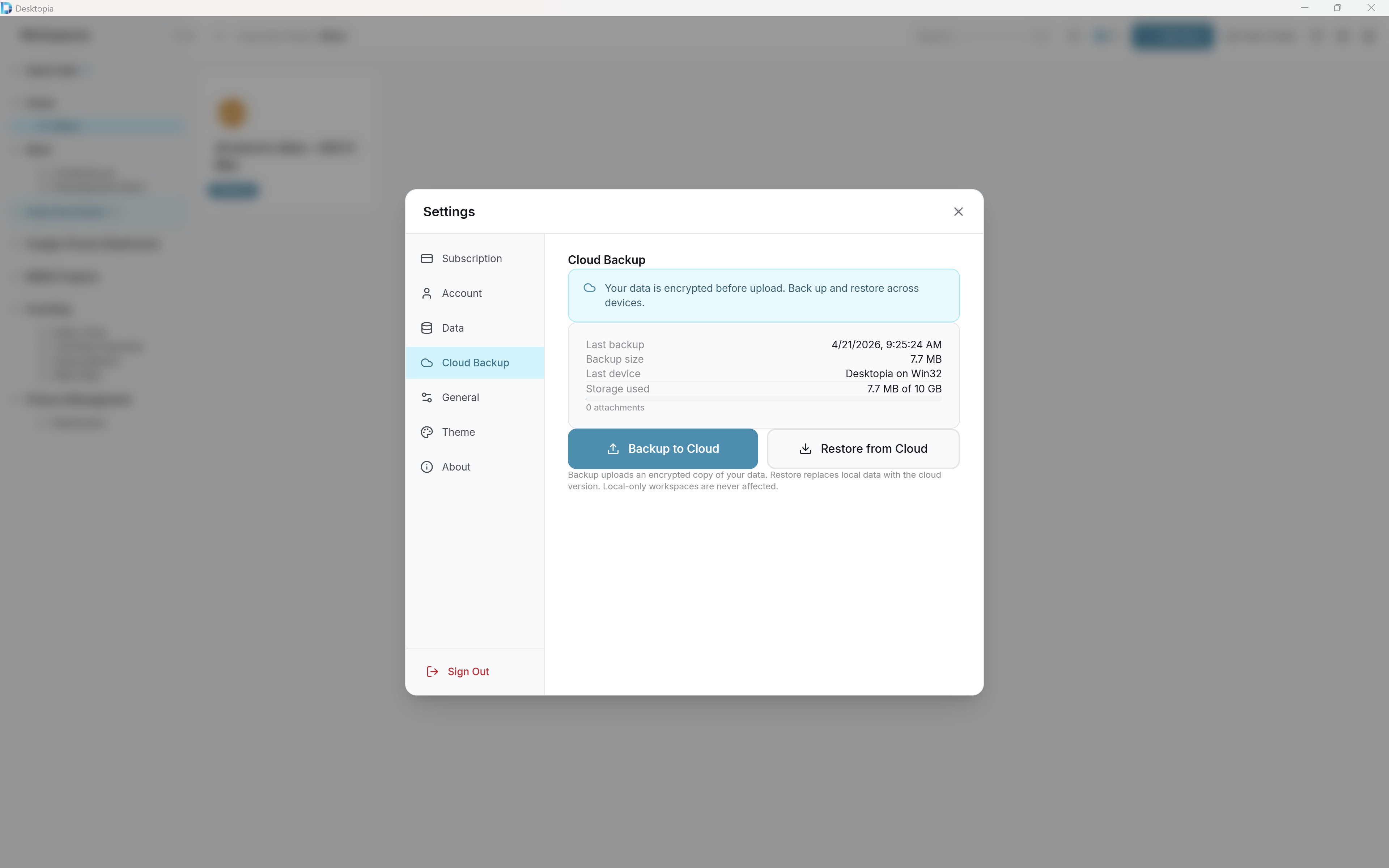
- Mark workspaces as local-only to keep sensitive data private
- Optional cloud sync for seamless multi-device access
- Mix local and synced workspaces however you prefer
- Your data, your choice: sync what you want, keep what you need local
Desktopia travels with you
Mobile is built for fast access, quick launch, and simple capture — so your workspace stays useful even when you're away from your desk.
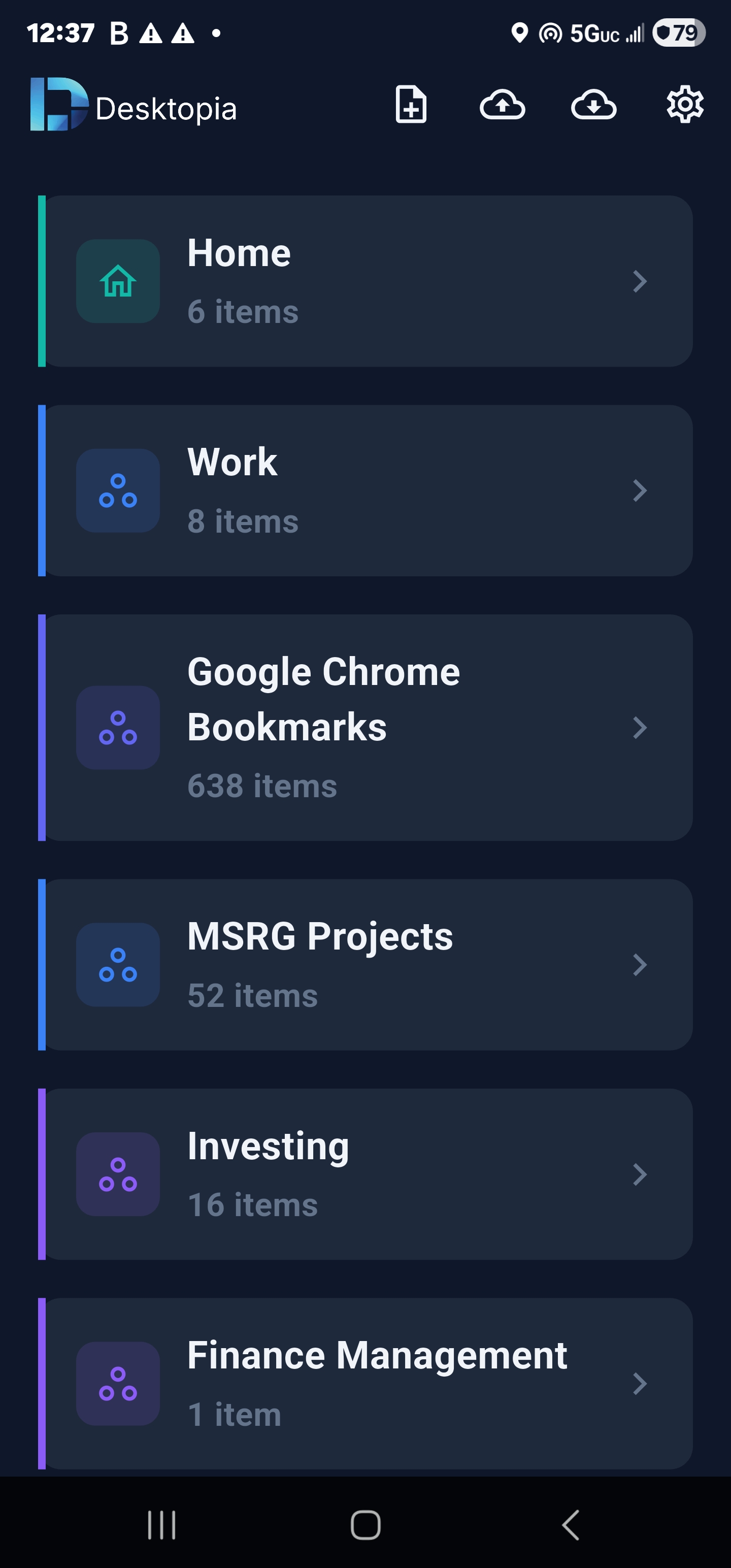
Your spaces, available anywhere
Browse your Desktopia workspaces and folders from your phone. Open saved resources quickly without digging through tabs, notes, or bookmarks.
- Browse spaces and folders on mobile
- Open saved websites, notes, and resources
- Search your workspace while away from your computer
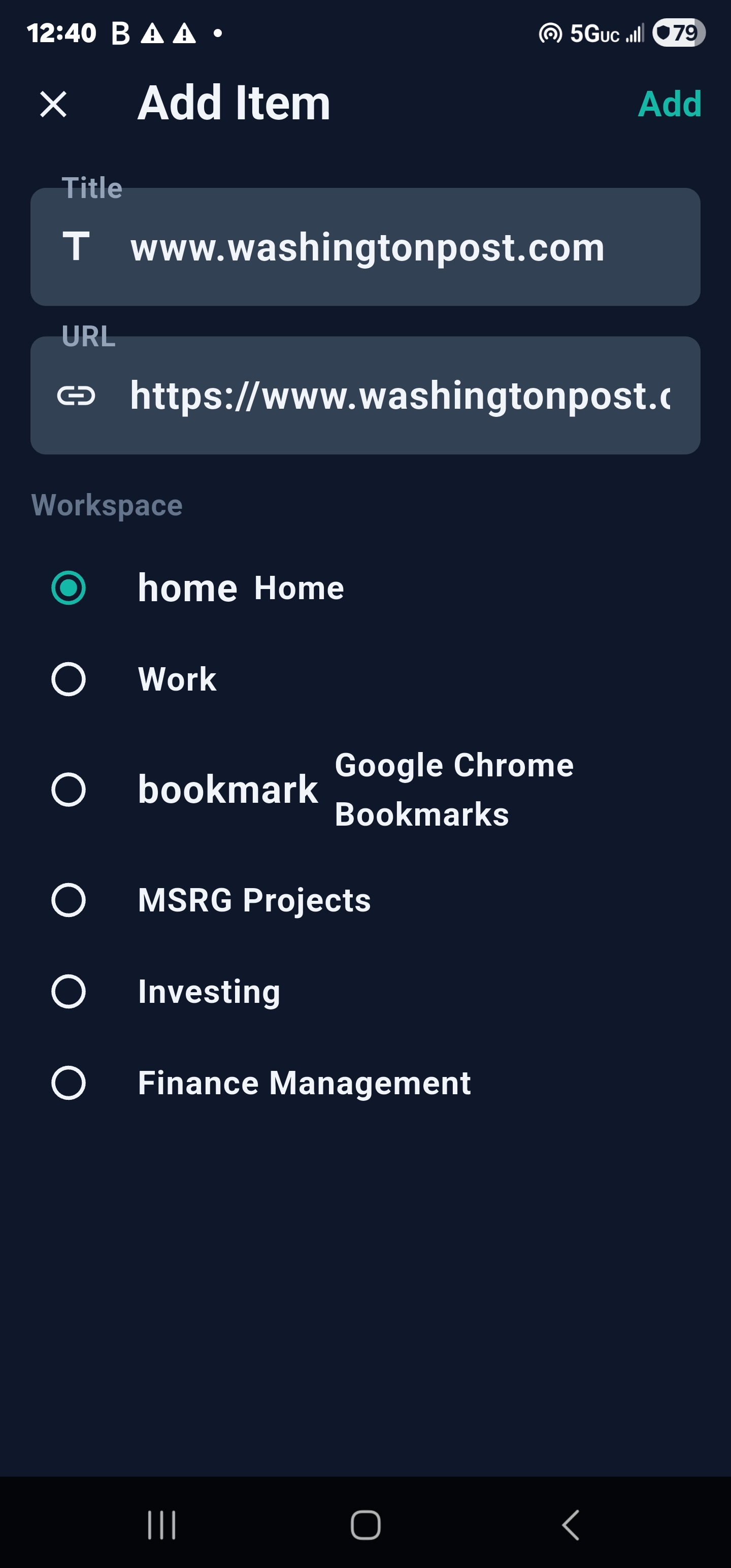
Save things the moment you find them
When you come across a useful page, video, tool, or idea on your phone, send it straight into Desktopia using the mobile Share Sheet.
- Save links from any mobile browser or app
- Capture ideas before they disappear
- Send items into the right workspace for later
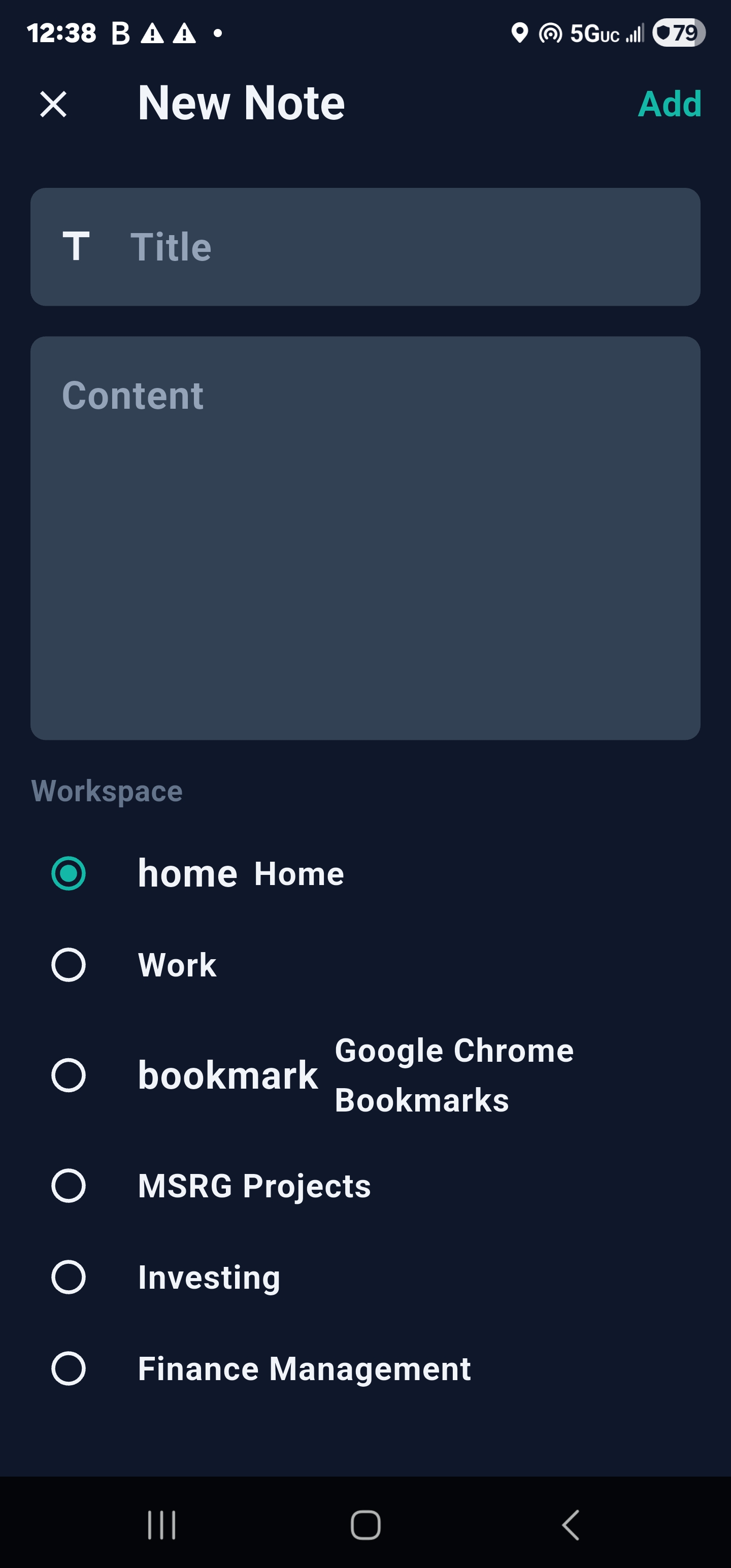
Jot notes into the right workspace
Quick note taking that lands in the same workspace you use on desktop. No separate inbox, no orphaned notes.
- Create notes directly on mobile
- Pick the exact workspace that fits
- Show up on desktop the next time you back up
Desktop-first by design. The mobile companion is built for fast access, quick launch, and simple capture — deep organization, bulk editing, and workspace management still live on desktop.
Ready to get organized?
Download Desktopia and start organizing your digital life today.
No credit card required • Cancel anytime