Desktopia=DesktopUtopia

Organize everything you use. Launch it in seconds.

Desktopia is a local-first desktop app that turns your scattered apps, scripts, bookmarks, and quick notes into a searchable, card-based workspace. Open anything in seconds — with one double-click.

30-day trial • Cancel anytime • No credit card required

Summon it from anywhere withWinD

Windows
macOS
Linux
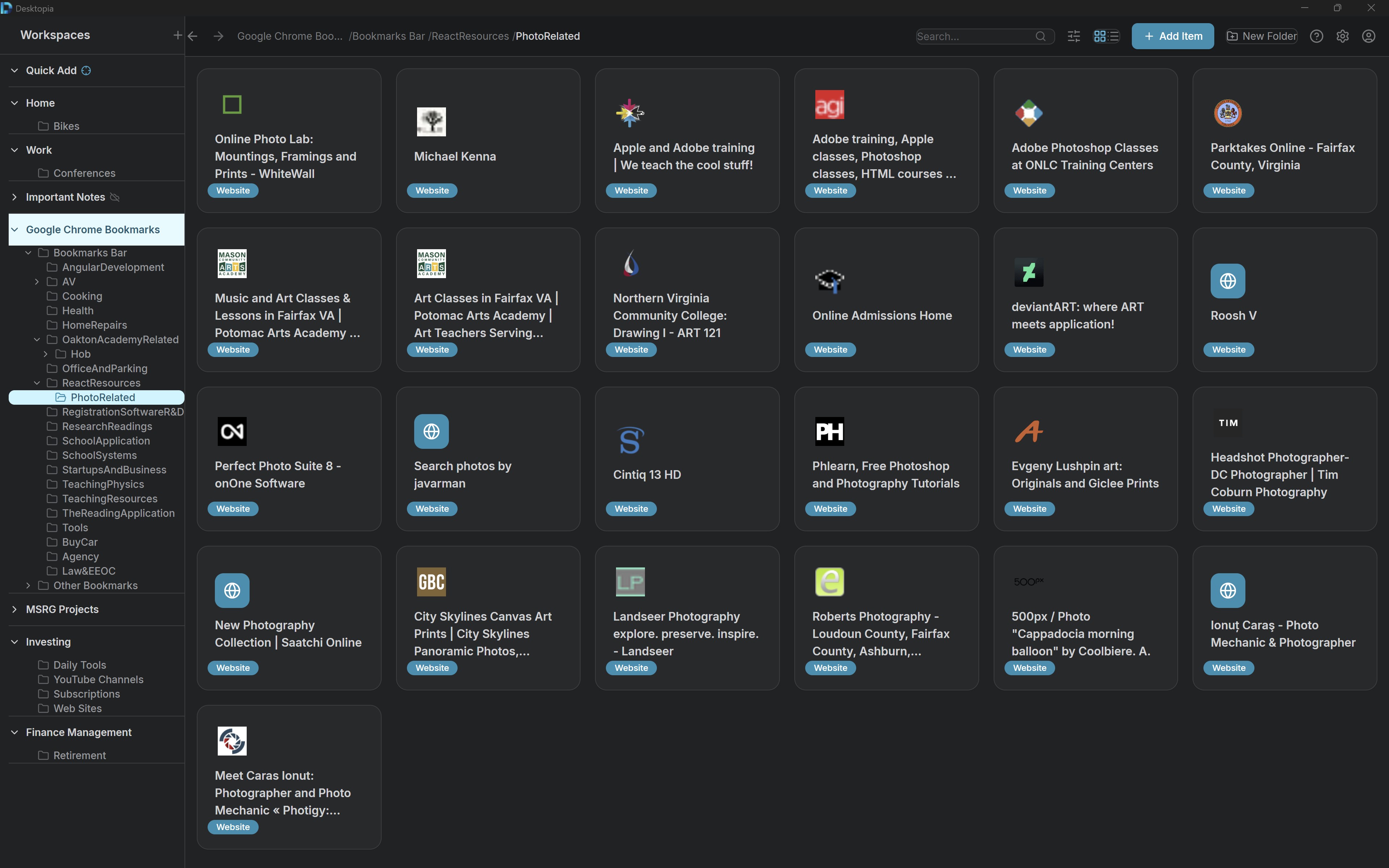
Desktopia app showing organized workspaces with apps, websites, and notes
How it works

From scattered to organized in three steps

No setup wizards, no import chores. You're productive within minutes.

1

Add anything

Drag desktop apps onto Desktopia, save websites with the browser extension, or jot notes inline. One place for everything.

2

Organize your way

Group by project, role, or workflow using nested folders and workspaces. Drag to reorder, Ctrl+drag to copy — no rigid templates.

3

Launch instantly

Summon Desktopia from anywhere with ⇧ Win D, find the card you want, and double-click to open. Apps, scripts, links, notes — all launched the same way.

What do you want to organize?

Desktopia adapts to how you work. Select what you need to organize.

Launch all your tools from one place

Stop hunting through menus and folders. Desktopia gives you a single, organized view of every application you use.

Desktopia — Apps
  • Organize desktop and web apps by project, role, or workflow
  • Launch anything with a double-click — no Start menu, no Spotlight
  • Replace alt-tab chaos with a clean, structured workspace
Organization

Organize Everything in One Place

Create unlimited workspaces and folders to structure your digital life exactly how you think.

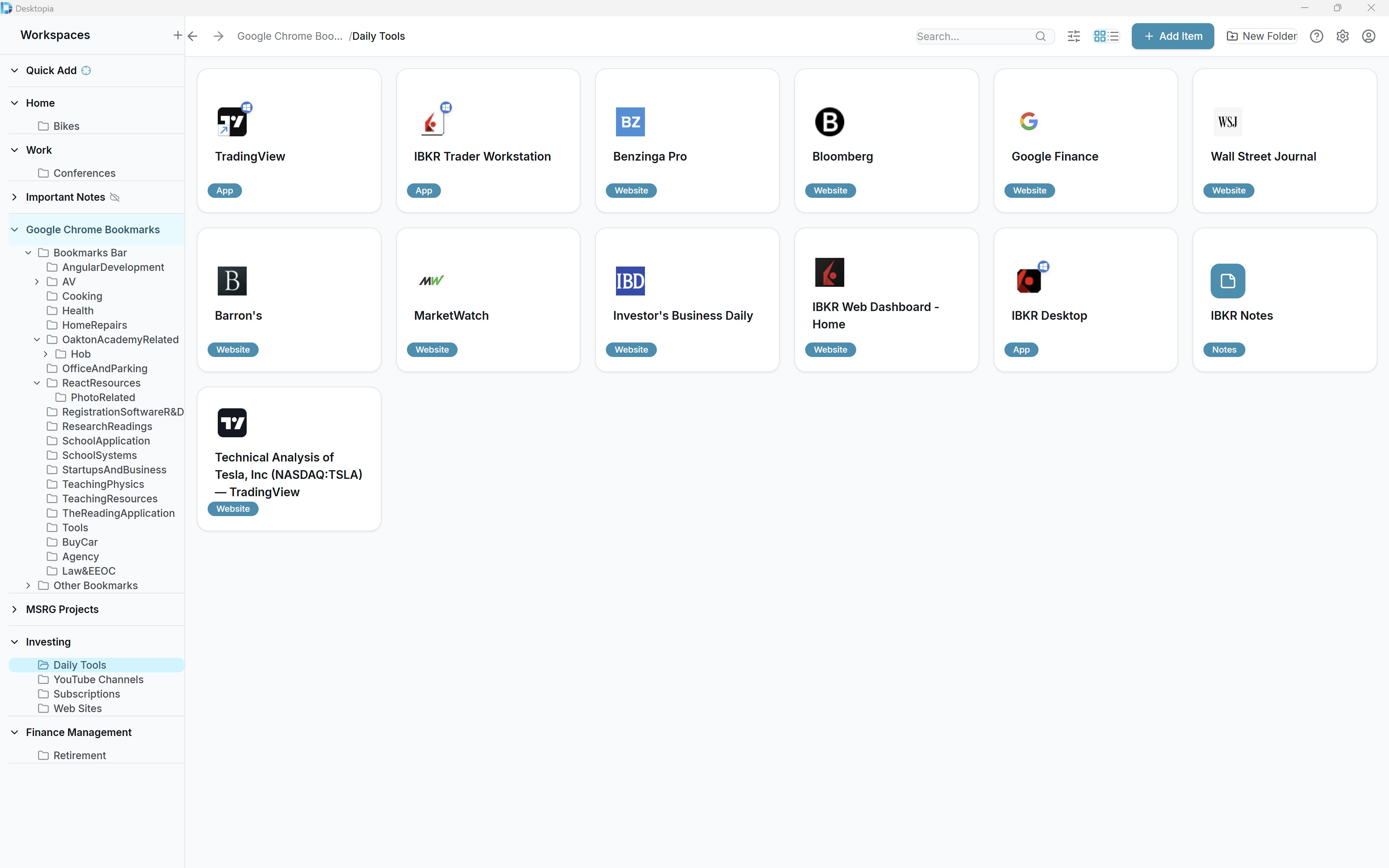
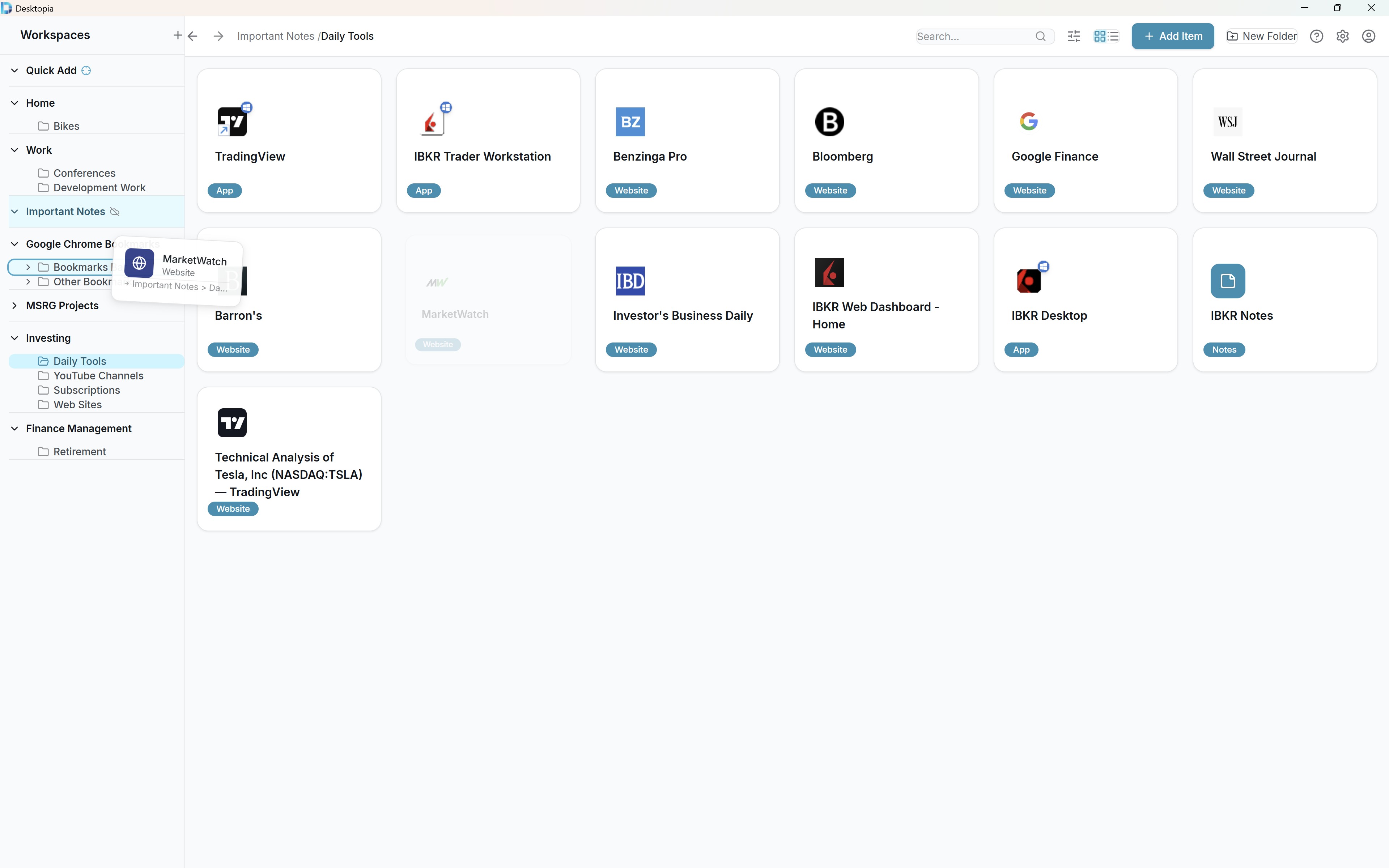
Desktopia — Organization
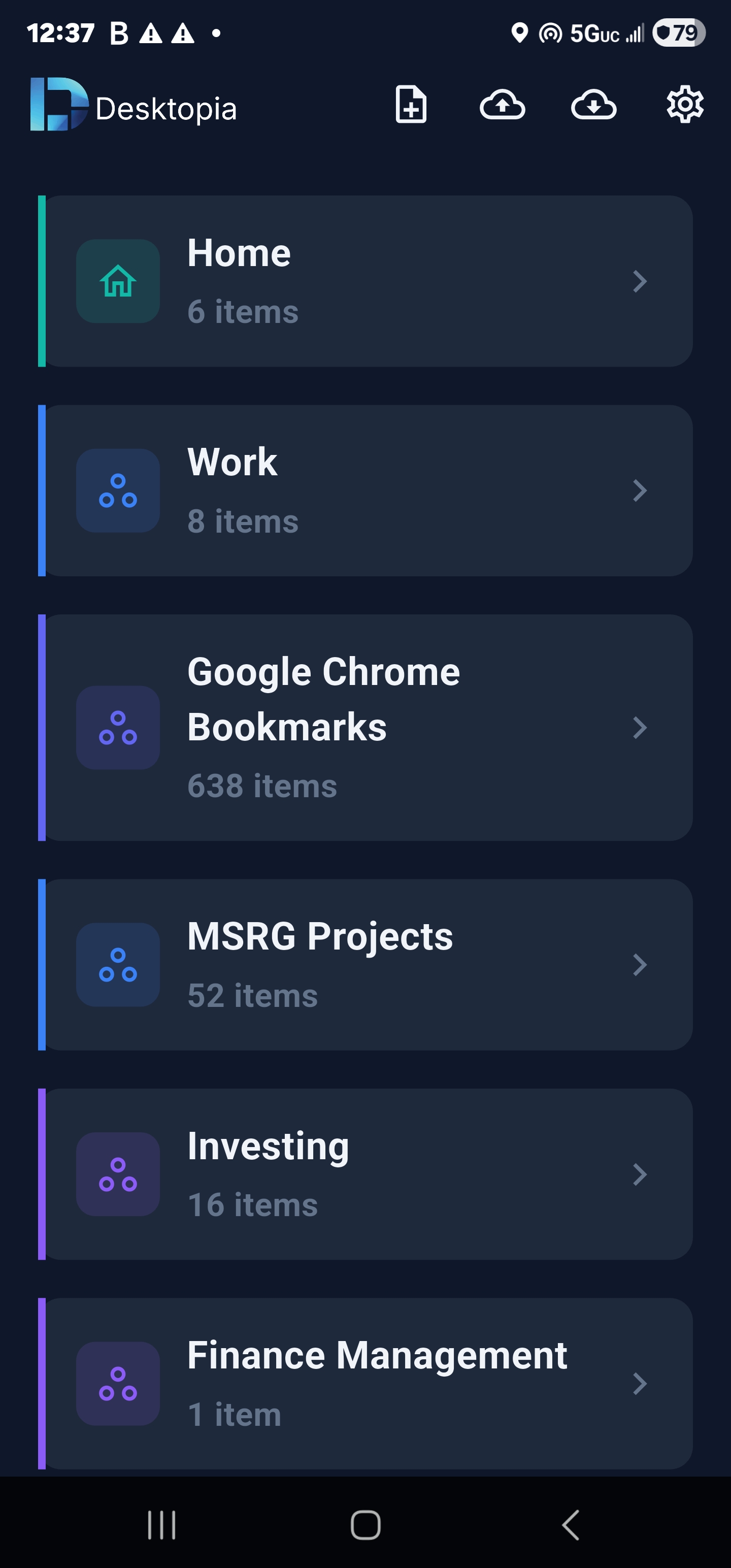
  • Multi-workspace organization for Work, Personal, Projects, and more
  • Unlimited folder nesting with no depth limits
  • Store apps, websites, and notes together in one unified system
  • Drag and drop to reorder, move, or copy items between folders and workspaces
  • Custom colors and icons for visual personalization
Search & Filter

Find Anything in Seconds

Powerful search and smart filtering help you locate exactly what you need, instantly.

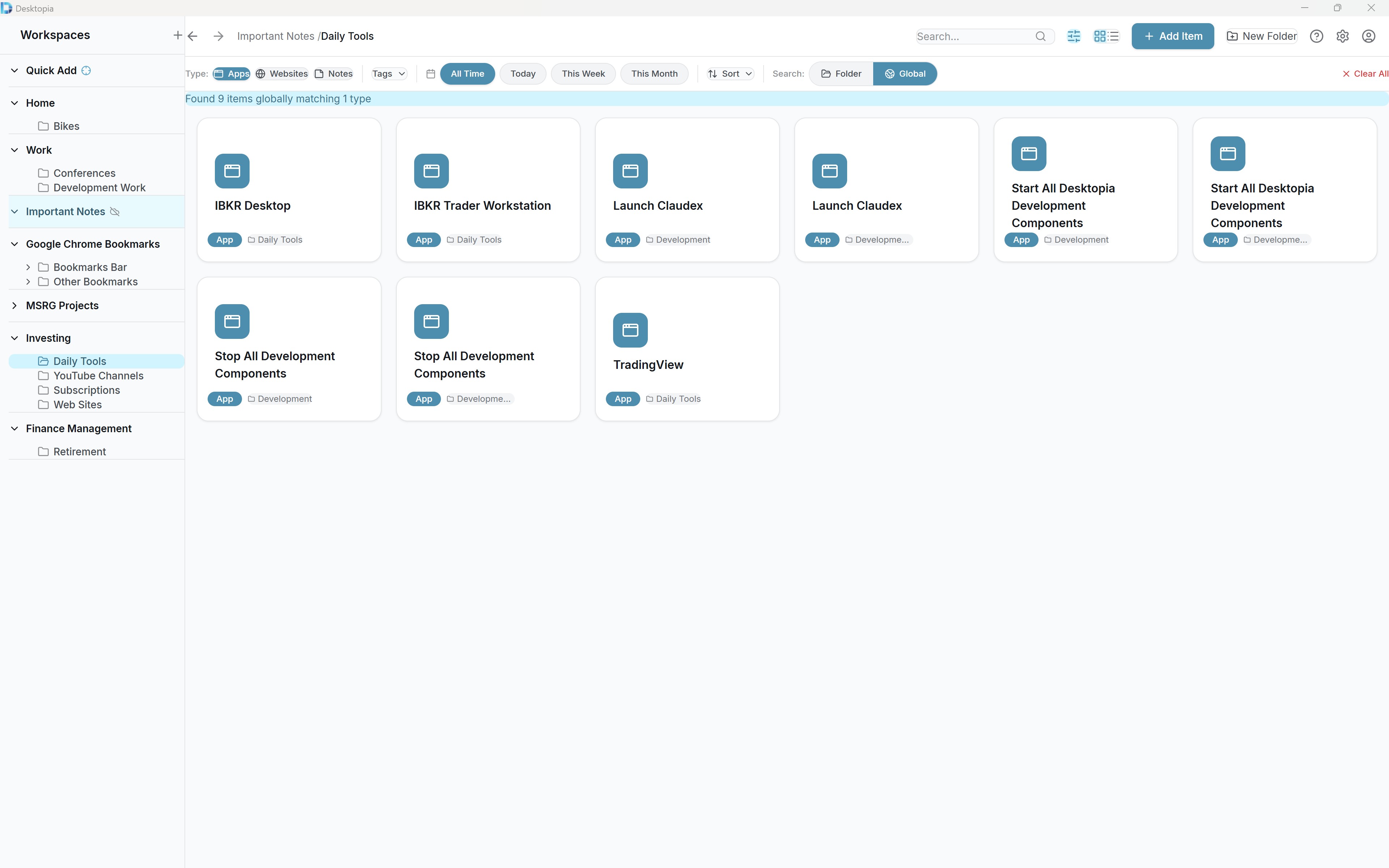
Desktopia — Search & Filter
  • Global search across all items, folders, and workspaces
  • Smart filtering by type, platform, tags, and date
  • Auto-detects YouTube, Twitter, GitHub, and Twitch links
  • Flexible sorting: manual, alphabetical, by date, or by type
Browser Extension

Save from Anywhere

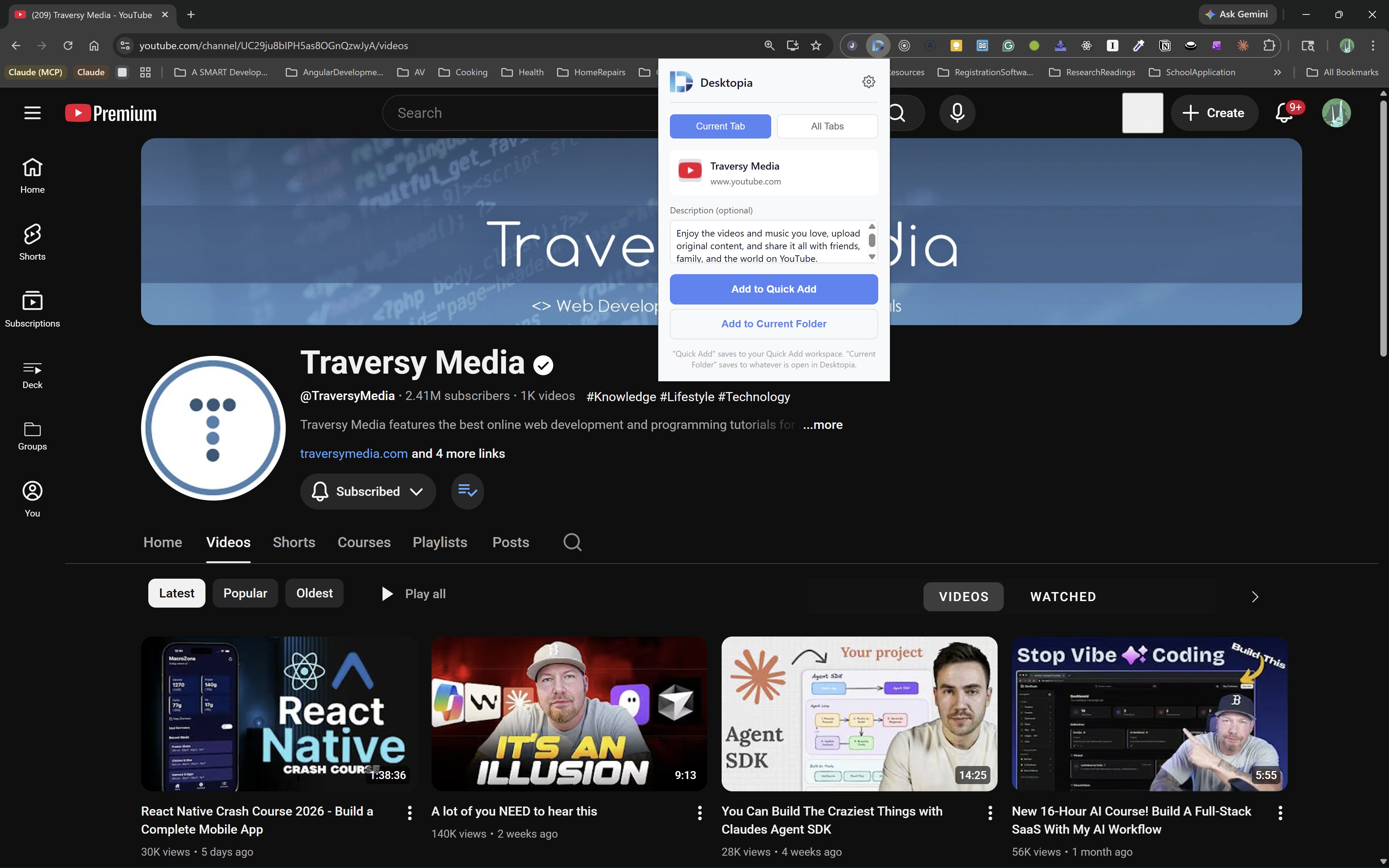
The browser extension lets you capture websites with one click, complete with metadata.

Desktopia — Browser Extension
  • One-click save from Chrome, Edge, and Brave browsers
  • Automatically extracts title, URL, and favicon
  • Import existing browser bookmarks with folder structure
  • Global hotkey (Shift+Win+D) for instant access from anywhere
Privacy & control

Your data, your machine

Desktopia is built local-first on purpose. Cloud sync is optional, encrypted, and easy to leave.

Local-first storage

Everything lives in a SQLite database on your machine. Works offline. Your data never leaves your device unless you opt in.

Encrypted cloud sync

Sync across devices with AES-256-GCM encryption. Your data is encrypted on your device before it ever reaches our servers.

Local-only workspaces

Mark any workspace as local-only at creation. It — and everything inside it — is permanently excluded from sync. Your most sensitive stuff stays put.

Your data, your exit

Export your entire workspace to a ZIP — data and attachments — at any time. Cancel your subscription and your local data still works.

Loved by productive people

See what others are saying about Desktopia.

Finally, an app that understands how I actually work. I used to have 50+ browser tabs open just to find what I needed. Now everything is one click away.

AC

Alex Chen

Software Developer

Desktopia replaced my messy bookmark folders, sticky notes, and three different note apps. My workflow has never been this clean.

SM

Sarah Miller

Product Manager

As a trader, I need instant access to multiple platforms. Desktopia lets me switch between setups in seconds instead of minutes.

MT

Marcus Thompson

Day Trader

I manage 8 client projects. Having a workspace for each client with all their tools and docs is a game changer.

ER

Emily Rodriguez

Freelance Consultant

The keyboard shortcuts alone save me 30 minutes a day. I can launch any app or open any project without touching my mouse.

DP

David Park

UX Designer

I was skeptical at first—another productivity tool? But Desktopia actually sticks because it fits how I think about my work.

JW

Jennifer Walsh

Marketing Director

Simple, transparent pricing

Start with 30 days free. Upgrade only if it sticks.

Pro includes unlimited workspaces, encrypted cloud sync, mobile companion app, and every future feature.

Free Trial

30 days full access

Free
  • Unlimited workspaces and folders
  • Launch desktop applications
  • Organize web links
  • Notes with attachments
  • All Pro features for 30 days
  • No credit card required
Download Free
Most Popular

Desktopia Pro

Full access with cloud sync

$3.33/month

Paid annually · Billed $39.99/year

  • Unlimited workspaces and folders
  • Cloud sync across devices
  • Automatic cloud backups
  • Browser extension sync
  • Local-only workspace option
  • Priority support
Start Free Trial

Frequently asked questions

Everything you need to know about Desktopia.

On your machine, in a local SQLite database at %APPDATA%/com.fengf.desktopia (Windows). Desktopia is local-first — the app works fully offline, and your data stays on your device unless you explicitly opt in to cloud sync.

Still have questions? Contact us

Start organizing in minutes

30-day free trial. No credit card required.

No credit card required • Cancel anytime